
TL;DR: WordPress fits businesses that win customers with content and leads: service companies, local businesses and brands that publish a lot. Shopify fits businesses whose main job online is selling products. If you sell a few products alongside services, WordPress usually wins. If products are the business, Shopify usually wins. And if you need both, Shopify’s official WordPress plugin lets you run them together.
WordPress vs Shopify sounds like a straight comparison, but the two were built for different jobs. WordPress is a website system that can sell. Shopify is a selling system that can host a website. Pick the one built for your main job and most of the decision is made.
Most comparisons on page one treat this as a store-building contest. That’s only half the question. Plenty of businesses searching this don’t run a store at all. They’re a law firm, a clinic or a salon, and they want to know if Shopify is “better” than WordPress.
We build on both at Hyer Studios, and our own site runs on WordPress. This guide sorts the choice by the kind of business you run, not by feature lists. You’ll see where each platform fits, what each one asks of you after launch, and how to run them together if you need both.
What Is the Difference Between WordPress and Shopify?
WordPress is free, open-source software for building any kind of website, from blogs to service sites to stores. Shopify is a paid, hosted platform built specifically for selling products online. WordPress gives you more freedom and more upkeep; Shopify gives you less freedom and less upkeep.
WordPress is open source and licensed under the GPL, which means anyone can use and modify it for free. It powers 40.1% of all websites, according to W3Techs data from October 2026. Shopify runs 5.4%.
One detail trips people up: there are two kinds of WordPress. WordPress.org is the free software you install on your own hosting. WordPress.com is a paid service that hosts it for you and handles updates, backups and SSL automatically. Most business sites, including ours, use the self-hosted WordPress.org version. That’s the one this guide compares.
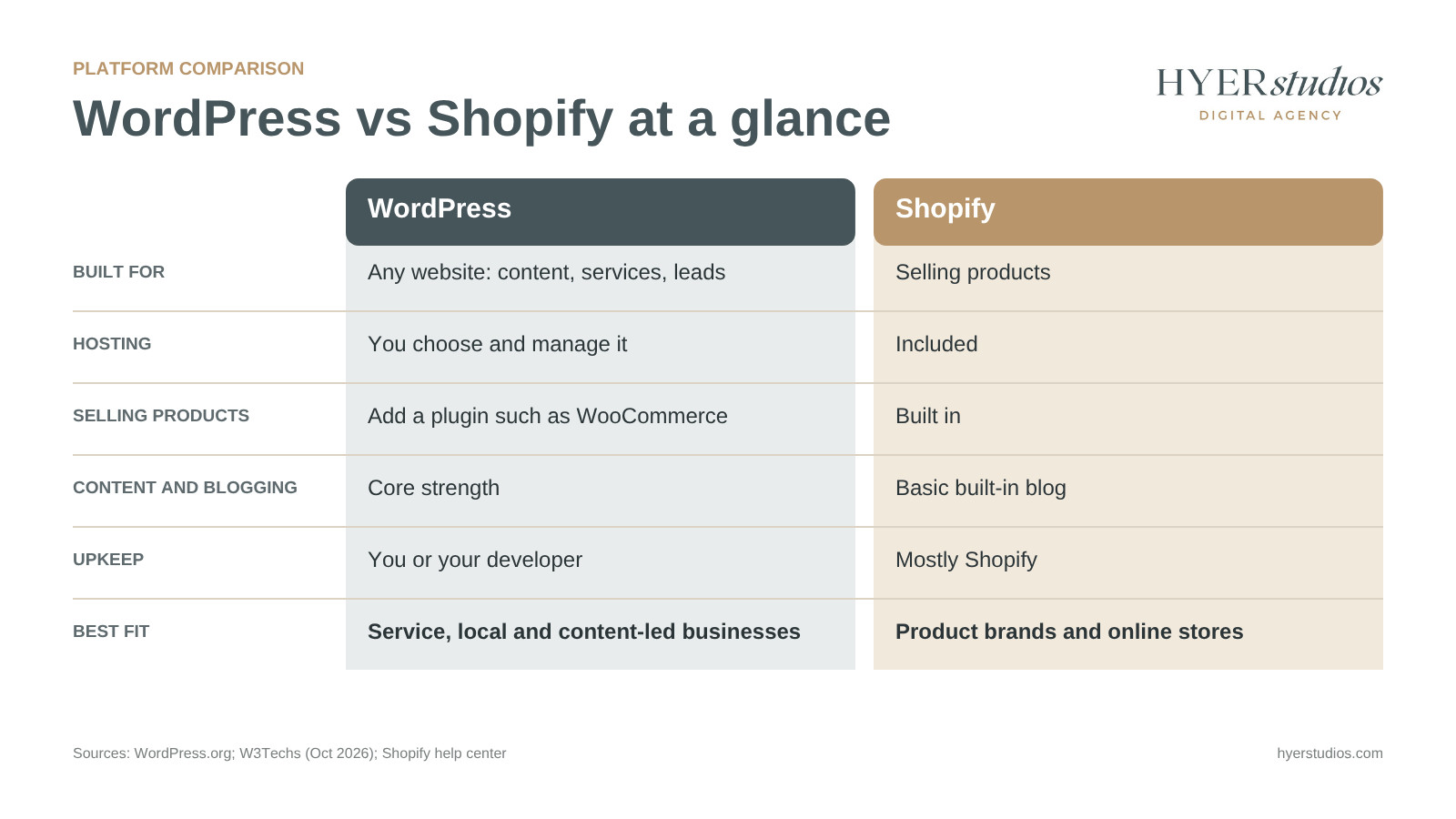
| WordPress (self-hosted) | Shopify | |
|---|---|---|
| Built for | Any website: content, services, leads, stores | Selling products |
| Hosting | You choose and manage it | Included |
| Selling products | Add a plugin such as WooCommerce | Built in |
| Blogging and content | Core strength | Basic built-in blog |
| Design control | Full | Within theme and app limits |
| Who handles upkeep | You or your developer | Mostly Shopify |
| Best fit | Service, local and content-led businesses | Product brands and online stores |
Which Businesses Is WordPress Built For?
WordPress is built for businesses that grow through content, search and enquiries. Service businesses, local companies, professional firms and publishers get the most from it, because WordPress makes it easy to build many pages, publish often and shape the site around how customers search.
A plumber needs service pages, area pages, reviews and a quote form. A law firm needs practice area pages and articles that answer client questions. Neither needs a shopping cart. WordPress handles all of this out of the box, and the plugin directory adds the rest. It lists more than 75,000 free plugins, from booking calendars to SEO tools.
That’s why our own site runs on WordPress. We publish service pages, location pages and guides like this one, and we need full control over URLs, headings and schema markup to rank them.
WordPress can still sell. Adding WooCommerce turns it into a store, which suits businesses where products support the services. If your question is really about which store platform to pick, our Shopify vs WooCommerce guide covers that comparison in depth.
Which Businesses Is Shopify Built For?
Shopify is built for businesses where selling products is the main job. Product brands, ecommerce stores and shops that also sell in person get a checkout, payments, inventory and hosting in one place, with no servers or plugins to maintain.
If your homepage exists to move people to product pages and checkout, Shopify is usually the faster, safer route. It also handles in-person sales through its built-in point of sale, so a store and a market stall can share one inventory.
When we built Ino Cafe’s brand identity and Shopify store, speed to launch mattered most. They opened with a full booking calendar in their first month. For a new business with a small team, that’s the kind of result Shopify makes easy.
Shopify also leads on selling through AI assistants. In December 2025 it rolled out agentic storefronts, which let shoppers find and buy a merchant’s products inside ChatGPT, Perplexity and Microsoft Copilot.
Content and SEO: Where Each Platform Pulls Ahead
For content, WordPress wins clearly. For speed, Shopify starts ahead.
WordPress was built as a publishing tool, so blogging, categories, page layouts and SEO plugins are its home turf. That matters if you plan to rank for questions your customers ask, or for many services across many locations. You control every URL and can structure the site any way you like.
Shopify’s built-in blogging engine covers the basics: posts, comments and templates. It works for a store that publishes now and then. It’s not built for a business that runs on content. Shopify also fixes its URL paths, so products sit under /products/ and categories under /collections/, and you can’t remove those folders on a standard store.
Speed is where Shopify has the edge. In HTTP Archive data from June 2025, 75.22% of Shopify sites had good Core Web Vitals, compared with 43.44% of WordPress sites. Google highly recommends good Core Web Vitals for success in Search. A fast WordPress site is very doable, but it takes good hosting, a light theme and careful plugin choices.
Cost and Upkeep: Who Runs the Site After Launch
The bigger difference between the two isn’t the price tag. It’s who does the work every month after the site goes live.
On Shopify, you pay for:
- A monthly plan that includes hosting, security and checkout
- Paid apps for features the plan doesn’t cover
- A premium theme, if you don’t use a free one
- Payment processing on each sale, plus an extra fee if you use a provider other than Shopify Payments, per Shopify’s third-party gateway rules
On self-hosted WordPress, you pay for:
- Hosting, a domain and an SSL certificate
- Any premium theme or plugins you choose
- Someone’s time to update, back up and secure the site
That last line is the one owners underestimate. Patchstack’s State of WordPress Security in 2026 report counted 11,334 new WordPress vulnerabilities in 2025. Of those, 91% were in plugins, and 46% had no fix available when they were made public.
None of this makes WordPress unsafe. It means someone has to own updates, backups and security every month. If that’s not you, budget for website maintenance and security from the start. For a broader view of what a build involves, see our guide to what a new website costs.
Can You Use WordPress and Shopify Together?
Yes. Shopify makes an official Shopify plugin for WordPress that lets you manage products in Shopify, place them on WordPress pages and posts, and send buyers through Shopify’s checkout. You keep WordPress for content and use Shopify for selling.
This setup suits businesses that are content-first but sell real products. Think of a beauty brand that publishes tutorials, or a coffee roaster that writes brewing guides. It’s a setup we often weigh when building websites for beauty brands. The content lives on WordPress, where it ranks well. The products and checkout run on Shopify, where payments and stock are handled for you.
The trade-off is that you run two systems. You need a Shopify plan for the selling side, and you still maintain the WordPress site. Shopify also notes the plugin is built by Shopify and isn’t associated with WordPress, so support for it comes from Shopify.
How to Choose the Right Platform for Your Business
Match the platform to your main job online.
| Your business | Main job online | Best fit |
|---|---|---|
| Service or local business (trades, clinics, firms) | Rank locally and get enquiries | WordPress |
| Content-led brand or publisher | Publish and grow an audience | WordPress |
| Product brand or online store | Sell products and process orders | Shopify |
| Shop with online and in-person sales | One inventory across channels | Shopify |
| Content-first brand that sells products | Rank with content, sell with checkout | WordPress with the Shopify plugin |
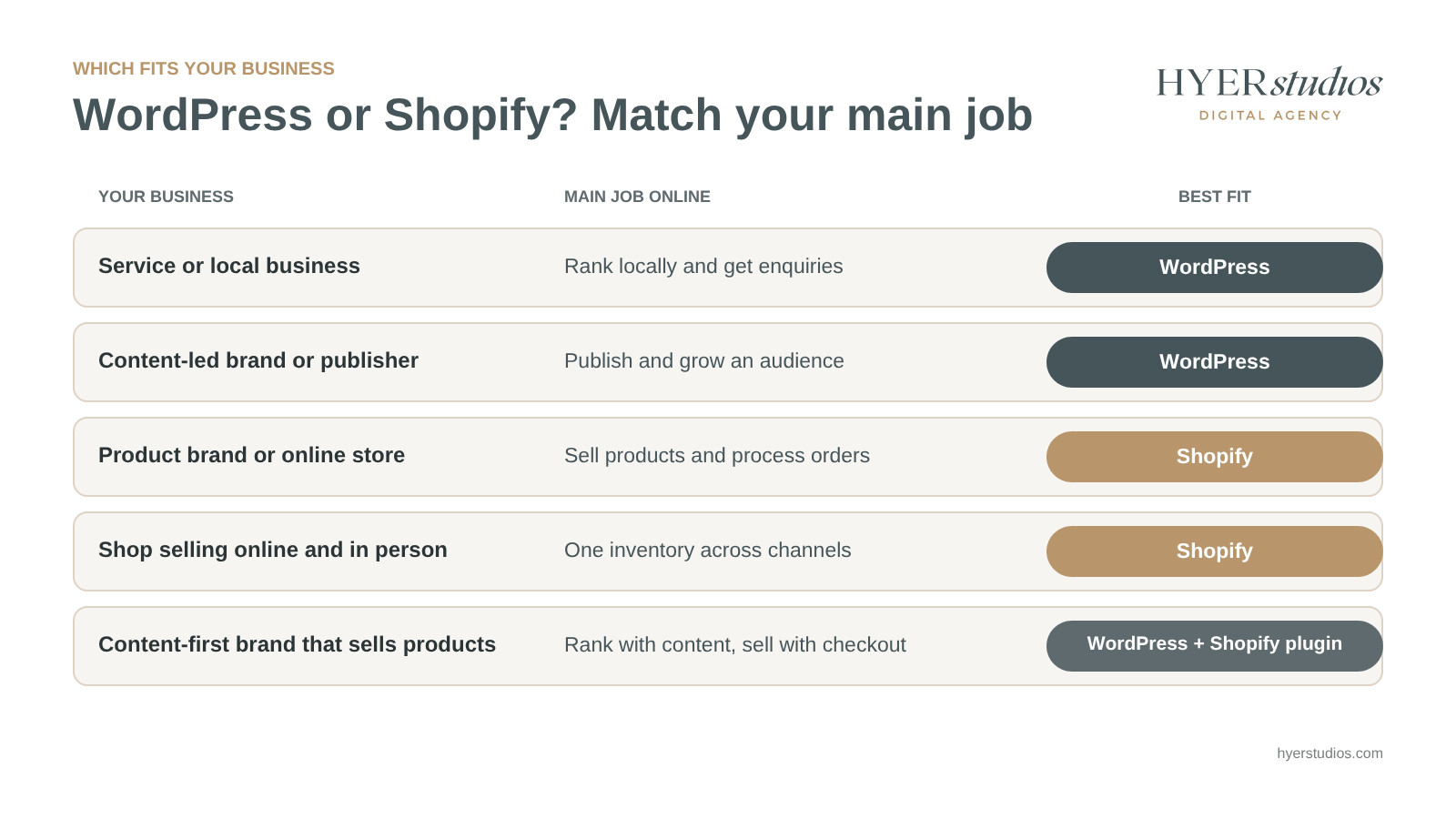
If your site is mostly pages and articles, choose WordPress. If it’s mostly product pages and a checkout, choose Shopify. If it’s genuinely both, consider the combined setup above.
Where does Wix fit next to Shopify?
Wix is a website builder that added selling later, while Shopify was built for selling from day one. Wix runs 4.2% of all websites and includes built-in ecommerce tools, though you need a paid plan to take payments. For a small shop where the site is mainly about content, Wix can be simpler. For a store you plan to grow, Shopify’s selling tools go deeper.
If you’re also weighing WordPress against Wix or Squarespace, that’s a different decision about site builders, and the same rule applies: pick the tool built for your main job.
The Bottom Line
The WordPress vs Shopify choice comes down to three things:
- Know your main job. Leads and content point to WordPress. Product sales point to Shopify.
- Plan for upkeep. WordPress gives you control and asks for monthly care. Shopify handles most of that for a fee.
- You don’t always have to choose. Shopify’s WordPress plugin lets content-first brands sell without moving their site.
Still not sure? Book a free consult and we’ll look at your business, your content plans and what you sell. You’ll leave with one clear recommendation and the first two or three things to get right, whether you hire us or not. Our website development team builds on both, so the advice follows your business, not our preference.
Frequently Asked Questions
Is WordPress or Shopify better for a small business?
It depends on what the business does online. Service and local businesses that need leads usually do better on WordPress, because it handles service pages, location pages and content well. Small businesses that mainly sell products usually do better on Shopify, because checkout, payments and hosting are built in.
Is WordPress free to use?
The WordPress software is free and open source under the GPL. Running a WordPress site isn’t free, though. You pay for hosting, a domain, any premium themes or plugins, and the time it takes to keep the site updated and secure.
Which is better for blogging, WordPress or Shopify?
WordPress is better for blogging. It was built as a publishing platform, with categories, flexible layouts and strong SEO plugins. Shopify has a basic built-in blog that works for occasional posts, but it isn’t designed for businesses that grow through content.
Can I move my website from WordPress to Shopify later?
Yes, but plan it carefully. WordPress can export posts and pages as an XML file, and products can move by CSV. The most important step is mapping every old URL to its new Shopify URL with 301 redirects, because Shopify uses fixed paths like /products/ and /collections/.
Is Shopify better than Wix for an online store?
For a store you plan to grow, Shopify is usually the stronger choice because it was built for selling. Wix is a website builder with ecommerce added, which can suit a small shop where the site is mainly about content. Both include hosting, and both need a paid plan to take payments.
About the author: Brian Esper founded Hyer Studios in San Diego in 2020. He co-founded his first beauty brand in 1996 and has spent more than 20 years building and running brands online. Hyer Studios builds websites on WordPress and stores on Shopify for small and growing businesses.